Below we provide full details for 2012 entry on the new MRes in Advanced Spatial Analysis and Visualisation (ASAV). The course reflects the current state of play in geographic, urban and architectural information systems with an emphasis on visualisation, analysis and modelling. Taught at the Centre for Advanced Spatial Analysis, home of digital urban, it is an innovative and exciting opputunity to study at UCL with a MRes acting as a pathway to a PhD or further career in ASAV.
Showing posts with label 3D Modelling. Show all posts
Showing posts with label 3D Modelling. Show all posts

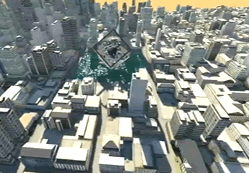
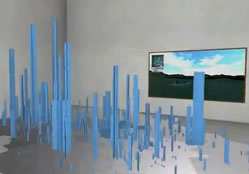
ProFORMA: 3D Models via a Standard Webcam
We are a couple of days late to the table on this one due to various reasons, work, moving flat, the failure of the British telecoms system to sort out any sort of broadband connection. However, this is of note as it allows a 3D model to be constructed using a standard webcam Qi Pan Gerhard Reitmayr and Tom Drummond of the Machine Intelligence Laboratories, Department of Engineering, Cambridge University.
The YouTube clip below explains all:
Take a look at the ProFORMA: Probabilistic Feature-based On-line Rapid Model Acquisition page for more information, they also have a paper online on the subject which is well worth a read.
Thanks to everyone who sent this in, our broadband is being sorted so the posts will be back to normal soon...
Update - Engadget has just reported that Qi plans to release a Linux-based demo to the general public, and a Windows version shortly thereafter. - Update.
The YouTube clip below explains all:
Take a look at the ProFORMA: Probabilistic Feature-based On-line Rapid Model Acquisition page for more information, they also have a paper online on the subject which is well worth a read.
Thanks to everyone who sent this in, our broadband is being sorted so the posts will be back to normal soon...
Update - Engadget has just reported that Qi plans to release a Linux-based demo to the general public, and a Windows version shortly thereafter. - Update.
A New Take on Timelapses: Camera Matching and Blender: Game Day At Nokia Arena
Sometimes you load a movie thinking it'll be the same old visualization or timelapse and you suddenly sit back and think, wow. The movie below by Ariel Leviatan over at Waves and Pixels takes timelapses to a new level by building in camera matching and blender:
We really like the technique and in the spirit of sharing information Ariel has provided a full write up of how its done over at his Waves and Pixels site. We also note the kind nod from Ariel to our original timelapse tutorial for starting the whole process off - its nice to know the tutorial led to something really creative...
Game Day - At Nokia Arena, home of Maccabi Electra Tel Aviv from Ariel Leviatan on Vimeo.
We really like the technique and in the spirit of sharing information Ariel has provided a full write up of how its done over at his Waves and Pixels site. We also note the kind nod from Ariel to our original timelapse tutorial for starting the whole process off - its nice to know the tutorial led to something really creative...
SketchUp to Google Earth Timelapse
Reader will know that a couple of main themes here on digital urban are timelapse imagery and 3d modelling, as such the movie below appeals as it features both:
Created by db3d2 the movie is actually an interesting insight into the photograph to SketchUp to Google Earth modelling process.
See http://www.db-3d.com/blog.html for more info.
Created by db3d2 the movie is actually an interesting insight into the photograph to SketchUp to Google Earth modelling process.
See http://www.db-3d.com/blog.html for more info.
Building Rome in a Day: A 3D City via Flickr
With the recent rise in popularity of Internet photo sharing sites like Flickr and Google Images, community photo collections (CPCs) have emerged as a powerful new type of image dataset for computer vision and computer graphics research. With billions of such photos now online, these collections should enable huge opportunities in 3D, visualization, image-based rendering, recognition, and other research areas. The Graphics and Imaging Laboratory of the University of Washington's Department of Computer Science and Engineering are at the cutting edge of research based around crowd sourced imagery and 3D modelling.
In their project 'Bulding Rome in a Day' the group considered the problem of reconstructing entire cities from images harvested from the web. The aim is to build a parallel distributed system that downloads all the images associated with a city from Flickr.com. After downloading, it matches these images to find common points and uses this information to compute the three dimensional structure of the city and the pose of the cameras that captured these images. All this to be done in a day.
The movie below details thier sample work using 58,000 images of Dubrovnik sourced from Flickr:
If you do anything today check out their Building Rome in a Day page for further movies and details.
In their project 'Bulding Rome in a Day' the group considered the problem of reconstructing entire cities from images harvested from the web. The aim is to build a parallel distributed system that downloads all the images associated with a city from Flickr.com. After downloading, it matches these images to find common points and uses this information to compute the three dimensional structure of the city and the pose of the cameras that captured these images. All this to be done in a day.
The movie below details thier sample work using 58,000 images of Dubrovnik sourced from Flickr:
If you do anything today check out their Building Rome in a Day page for further movies and details.
PhotoSketch Launched with 30 Day Trial

PhotoSketch by Brainstorm Technology LLC is now available with a fully functional 30 day trial version available for download. PhotoSketch is a Google SketchUp plugin that enables the user to model 3D urban structures directly from photographs. It is aimed at architects, designers, and entertainment content creators allowing a new approach to create lightweight 3D models of existing buildings.
Sure you can model direct onto photographs already in SketchUp and indeed that is the basis of a lot of the models currently seen in Google Earth. Where Photoshetch seems to differ is the ability to determine camera positions and extract and match geometric features derived from a collection of overlapping photos of an urban scene.
Head over to http://www.brainstormllc.com/ for the download.
iClone and SketchUp: Interior Design Tutorials
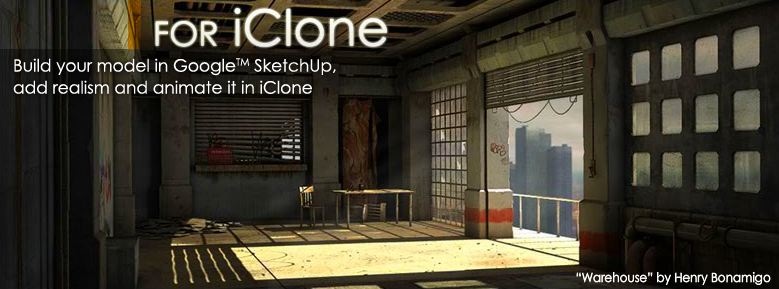
As we have posted before, we like iClone, the 3D creation program that allows avatars to be lip synced and placed in 3d scenes, its perfect for story telling, presentations and pre-visualisation. Indeed we have recently used it in a grant bid, sometimes 3D avatars are better at communicating to an audience than 6 sides of A4 paper.
One of its major benefits of iClone is its integration with the free version of SketchUp - 3d models can be imported and used within iClone with the addition of various realtime lighting and shadow effects. The two tutorials below provide a look at using SketchUp and iClone together for interior design:
Part 2 focuses on lighting and textures:
If you are new to iClone it is well worth downloading the demo and looking through the examples at http://www.reallusion.com/iclone/
Guggenheim: Design It - SketchUp Competition
The Guggenheim and Google SketchUp invite amateur and professional designers from around the world to enter Design It: Shelter Competition. From now until August 23, you can submit a 3-D shelter for locations around the world using Google SketchUp and Google Earth.
The competition is an extension of Learning By Doing, an exhibition in the Guggenheim Museum Sackler Center for Arts Education that features plans, photographs, and models of student-built shelters from the Frank Lloyd Wright School of Architecture. For the past seven decades, students at this school have taken on the challenge of designing, building, and living in small shelters nestled in the landscapes of the school’s Arizona and Wisconsin campuses. In working on these shelters, students consider human needs for safety and comfort, as well as the relationship between architecture and place.
How would you design it to respond to the surrounding environment? Head over to the Guggenheim to enter.
Agents in the City: Vision

Our last weeks series of posts on 3D Agent Based Models using 3D Max has been interesting (at least we have found it interesting). It is easy to set up any number of agents to swarm or wander within a set radius but adding behaviours beyond swarming is more difficult.
It seem to be down to 'vision' and how far the agents can 'see' ahead of them. In 3D Studio Max agents seem to only be capable of a complete 360x180 degree field of view or avoidance, this creates either large areas of exclusion or areas where agents fail to 'see' objects coming.
Our latest movie below illustrates this, the agents are now in our city model from the Greeble a City Tutorial:
At the moment the agents tend to get run over by the bus and roam inside the buildings, despite being set to avoid, still it is work in progress...
gisagents.blogspot.com have an interesting post on Pacman: is it an agent-based model? for those interested - a 3D Pacman would actually be quite easy as its a simple 'Seek' behaviour interlinked with paths.
Simulating Traffic in 3D Cities: Agents, Shockwaves and Grids

Simulating traffic is a science in itself with each car acting as an agent that is aware of its surroundings. It is notoriously difficult to create convincing traffic flow in 3D packages without input from specialist simulations and as such its a good challenge for our recent explorations of using agents in 3D Max to populate city models.
New Scientist highlighted the 'Shockwave' theory of traffic simulation this month with an article on how a team of Japanese researchers has recreated the phenomenon on a test-track for the first time.
The mathematical theory behind these so-called "shockwave" jams was developed more than 15 years ago using models that show jams appear from nowhere on roads carrying their maximum capacity of free-flowing traffic – typically triggered by a single driver slowing down.
With simple agents in 3D Max our first movie interestingly produces similar results:
If you then set up 'three teams' linked to a network with behaviour based on varying speed and avoidance calculations you can create a basic traffic flow simulation.
As we have said, these are first steps and there are some obvious issues to iron out with the aim to import the traffic flow into scenes such as our 'Greeble City Tutorial' model illustrated below:
 Interestingly the work going on just to our left using the Crysis game engine for traffic flow is proceeding at a notable rate, we should have a movie of this tomorrow...
Read more about the Shockwave Theory and NetLogo.
LightUp: Realtime Lighting in SketchUp
LightUp is creating quite a stir in the SketchUp community and for good reason. The plugin allows realtime lighting inside of SketchUp which by the looks of it dramatically improves the look of models.
The two YouTube movies below provide a preview:
The difference in quality is notable and this is one to watch, a beta website is online with a demo promised in the coming days/weeks.
See http://www.light-up.co.uk for full details.
You can follow the discussion on LightUp at the Sketchucation forums.
Thanks to Pedro for sending us the links...
The two YouTube movies below provide a preview:
The difference in quality is notable and this is one to watch, a beta website is online with a demo promised in the coming days/weeks.
See http://www.light-up.co.uk for full details.
You can follow the discussion on LightUp at the Sketchucation forums.
Thanks to Pedro for sending us the links...
Road Networks: Bringing 3D Greeble Cities to Life
 Our Greeble City Tutorial provides a walk through on how to quickly and easily create a cityscape, complete with custom skyscrapers. Creating a city is all well and good but it is the fine details that brings a 3D city to life, the first of these is the road network.
 Creating a road network in 3D Max is to be honest a tedious process but once they are in place complete with pavements (sidewalks) a basic render can begin to look more city like.
 The three renders here are from our 'City Road Pack' which we will be uploading to TurboSquid or some other file sharing site free of charge. This should save anyone wanting to build a quick city having to go through the two day process of making roads. The pack will include a series of objects that will snap together to create a grid or path layout.
Soon as its ready to go we will put up a post, in the meantime if there are any other parts of cities that people would like to see let us know via the comment box.
We should also have a post on roads and agent based traffic simulation in Crysis later this week as well, the main Crysis tutorial has been delayed due to a 'shadow bug' in the latest build. Soon as this is fixed we will put the SketchUp/3D Max to Crysis tutorial online.
Greeble a 3D City: Tutorial 2: The Cityscape
 A city can be constructed using 3D Studio Max in under 5 minutes using the Greeble Plugin and a few simple steps. In the second part of our series on Greebling a City we take a look at creating the cityscape itself.
If your new to Greeble take a look at the first part of our tutorial: Greeble a 3D City: Tutorial 1: Greeble Skyscraper.
To build a Cityscape:
You will need:
1x Copy of 3D Studio Max (a 30 Day trial can be downloaded from here)
1x Greeble Plugin installed into your Plugins Folder
Time Required: 5 -10 Minutes
Level: Beginner
Step 1: Making a City Block
Create a new Plane object as pictured below, we used 100x100 units with 10x10 width and length segments (hint: press F4 to view the outline view if it is not visible):
 This creates our basic outline, we now want to convert this plane to a Editable Poly, to do this simply right click and select 'Convert to Editable Poly', as pictured below:
Step 2: Greeble the City
Now we have an editable polygon we can click on our Modify list and select Greeble:
 As soon as we click Greeble a basic cityscape will appear with small units on the roof and a low rise city block. There are a couple of tweaks we want to make to create a more city like view, firstly set 'Taper' to 0 and increase the height to say 35 units. This produces the city block illustrated below:
 You now have the basics for building a city, if you clone the block and change the heights in each section you will begin to build a background cityscape in which to insert various more detailed buildings as seen in our first tutorial.
 Road layouts can be included and more realism by including simple additions such as street lights and signage. Greeble can be an extremely useful tool for quick and easy city models, we hope this tutorial as provided an insight into how to quickly and easily build your own city.
 In future tutorials we will look at Rendering the City, as previewed here and if there is interest taking a look at creating road junctions and textures, let us know if there are any additions you would like to see...
src="http://pagead2.googlesyndication.com/pagead/show_ads.js">
Google Tech Talk: Urban Reconstruction and Modeling for Building Virtual Worlds
A few weeks ago we featured ran a post on Automatic Architecture: The CityEngine. The post looked into the procedural modelling of cities and more specifcally the work by Pascal Mueller a PhD candidate and research assistant at the Computer Vision Lab of the ETH Zurich, Switzerland.
Peter has teamed up with Peter Wonka from computer science faculty of Arizona State for a Google Tech Talk and at an hour long its worth grabbing a drink and sitting back and watching.
The abstract for the talk is as follows:
Certainly one of the most interesting talks we have seen in quite a while...
Thanks go to Vint Falken for posting the comment that pointed to the tech talk, thanks Vint.
src="http://pagead2.googlesyndication.com/pagead/show_ads.js">
Peter has teamed up with Peter Wonka from computer science faculty of Arizona State for a Google Tech Talk and at an hour long its worth grabbing a drink and sitting back and watching.
The abstract for the talk is as follows:
Creating digital content for virtual worlds remains a significant challenge, especially for urban environments, which are among the largest and most complex. As display capabilities improve and audience expectations grow, procedural modeling techniques are becoming an increasingly important supplement to traditional modeling software.The full talk is embedded below courtesy of YouTube:
In this talk, we present grammar-based, image-based and interactive methods for the efficient creation of urban environments. Thus massive architectural models of high visual quality and geometric detail can be produced at low cost. Selected examples demonstrate solutions to previously unsolved modeling problems, especially to consistent mass modeling with volumetric shapes of arbitrary orientation.
Furthermore,we show massive urban models with unprecedented level of detail, with the virtual rebuilding of the archaeological site of Pompeii as a case in point.
Certainly one of the most interesting talks we have seen in quite a while...
Thanks go to Vint Falken for posting the comment that pointed to the tech talk, thanks Vint.
src="http://pagead2.googlesyndication.com/pagead/show_ads.js">
Import Any Model into Second Life: AC3D
Importing models into Second Life is still for various reasons a difficult task - the people from http://www.inivis.com/ however have just made it a whole lot easier with their plugin for AC3D.
There are three ways to import from AC3D into Second Life:
The movie below details the Second Life Triangle Builder:
Sure using Triangles is object intensive but it works and it works well (our previous maps in Second Life were created using our own triangle builder).
If you have the space and it fits into the maximum object limit then this really does open up object import into Second Life.
You can helpfully try AC3D free for 14 days so grab a trail, install the plugins and start importing those models into Second Life...
There are three ways to import from AC3D into Second Life:
1) Sculpted prim maker Using AC3D's popular and easy to use interface, you can create objects for Second Life quickly and without many of the restrictions that other 3D modelers enforce. | 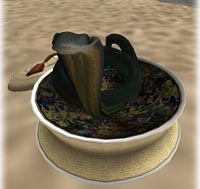 |
| 2) Box builder Simply create your model in AC3D then watch your creation assemble inside Second Life. |  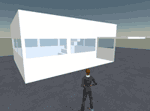 |
| 3) Upload ANY polygon model in Second Life Our Second Life Triangle Builder lets you upload virtually ANY 3D model inside Second Life. | 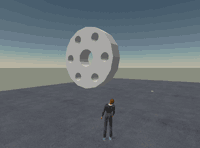 |
The movie below details the Second Life Triangle Builder:
Sure using Triangles is object intensive but it works and it works well (our previous maps in Second Life were created using our own triangle builder).
If you have the space and it fits into the maximum object limit then this really does open up object import into Second Life.
You can helpfully try AC3D free for 14 days so grab a trail, install the plugins and start importing those models into Second Life...
Urban Design Visualisation with Blender

Blender for those that don't know is a free and open source 3D modelling package. While not quite as powerful as some other major software packages such as Lightwave, 3D-Studio Max, and XSI it is still extremely competent and more importantly free.
Yorik has written up an urban design visualisation project using Blender, his write up is especially nice as it looks into not only the modelling but also the 'sauce' as he calls it - the living things in the scene such as people and cars.
The video below provides a sample of the output:
It is well worth taking a look at Yoriks Guide to Urban Design with Blender.
For more on Blender see http://www.blender.org/
Extruding a City: Greeble is not just for SciFi
 When using 'Greeble' techniques it is all to easy to slip into 'Futuristic City' mode - as our part one tutorial on using Greeble to create a city illustrates. There is nothing wrong with this of course, using 'Fantasy Cities' gets around many issues relating to copyright and allows various visualisation techniques to be tested out on a large urban scene.
Greeble is however much more than a 'SciFi' tool, it allows you to quickly and easily create a city - the second part of our next tutorial will provide full details. Civicarts.com used Greeble to extrude their CITY OF LEGACY, CITY OF PROPHESY project:
Inspired by the promise of a new civic lifestyle on the Arabian Gulf, the Madinat Al Hareer (City of Silk) brings all the environmental, commercial, cultural, leisure and civic aspirations to a new location in the Arab World.
Three hearts and a centrepiece — business, culture, leisure, surrounding a new National Park and Wildlife Reserve, all enfronting the Bay, River and Gulf. Connected to Kuwait City by a new Bay-Bridge, joining with the new Arabian Bay Port, and anticipating a new International Airport, this city is planned to accommodate nearly 700,000 people and create nearly 430,000 new jobs. An emerald necklace of lakes and parks, like ribbons of silk, intertwine and weave each of the 25 neighbourhoods together into one cohesive city.
http://www.civicarts.com is well worth a look, especially under their 'Projects' section for a variety of visualisations and architectural presentations.
Thanks go to Simon for letting us know about the city of silk visualisation.
Greeble a 3D City: Tutorial 1: Greeble Skyscraper
 Greebles became a core part of our 'Fantasy Architecture City' a few years back - allowing details to be added to buildings quickly and easily. In a new series of posts we thought we would provide a walk through of how to quickly and easily create your own city using the Greeble Plugin for 3D Max.
For those new to Greebles - Wikipedia defines them as:
A greeble or nurnie is a small piece of detailing added to break up the surface of an object to add visual interest to a surface or object, particularly in movie special effects. They serve no real purpose other than to add complexity to the object, and cause the flow of the eye over the surface of the object to be interrupted, usually giving the impression of increased size. It is essentially the small detailed technical part of a larger object. The detail can be made from geometric primitives, including cylinders, cubes, and rectangles, combined to create intricate, but meaningless, surface detail. Greebles are commonly found on models or drawings of fictional spacecraft in science fiction.
In part one we are going to build the skyscraper featured top right:
You will need:
1x Copy of 3D Studio Max (a 30 Day trial can be downloaded from here)
1x Greeble Plugin installed into your Plugins Folder
Time Required: 5 -10 Minutes
Level: Beginner
Step 1: Making a Cylinder
Create a new cylinder in 3D Max with the following units: Radius: 50, Height: 600, Height Segments: 32, as pictured below:

For those new to 3D Max the Cylinder object can be found under 'Standard Primitives' on the right hand side tab with the 'Arrow' Icon.
Step 2: Selecting the Polygons
We are going to give the cylinder some shape by using the 'Taper' Modifier, before we taper we need to convert the Cylinder to an 'Editable Poly' - simply right click on your cylinder and select 'Convert To/Convert to Editable Poly':

Step 3: Adding some Shape
Now our cylinder is converted we need to select all the polygons in order to change the shape to something a little more interesting. Go into the objects 'Modify' list - you will find 'Modify' next to the Create Tab. Expand the drop down list and select 'Polygon', now click and drag around the object and you will see your selected polygons turn red.
 We now apply the 'Taper' Modifier which is under your 'Modify' list. We have used 0.4 for the amount and ticked the 'Symmetry' box to ensure the top and bottom of our skyscraper is tapered by the same amount.
Once your object is tapered right click on your cylinder and select 'Convert To/Convert to Editable Poly' exactly the same as last time.
Our object is now ready to be 'Greebled'
Step 4 Greeble
Select all your polygons again and on your ''Modify' tab scroll down and select 'Greeble'. Your skyscraper will be transformed from a dull cylinder to a slightly more futuristic building:
 There are a number of setting that can be tweaked using Greeble, the standard setting should be fine but feel free to change the extensions, densities and type until you are happy with the result.
Step 5 Adding Detail
We can now add some quick detail to the roof by adding on 3 standard boxes:
 Once placed select all three boxes and click Greeble again:
Greeble can be extremely useful, in little under 5 minutes a simply cylinder can be transformed:
 The next step of the tutorial will cover using Greeble to build a complete city in which to insert your own fantasy skyscrapers...
See: Greeble a 3D City: Tutorial 2: The Cityscape
You can see our Fantasy City running in Crysis Game Engine via our Cities in Crysis: Sandbox Editor post.
VirtuelCity: 29 towns in 3D
The movie embedded below is well worth taking some time out to watch. It details the Vectuel's (a French 3D modelling company) techniques for constructing virtual cities:
Of note is the combination of stereo pair derived models with the street level capture, its interesting to get a view of their van as it drives around town grabbing textures.
The movie of Montbéliard illustrates the quality of output:
Take a look at Vectuels site for more info.
Of note is the combination of stereo pair derived models with the street level capture, its interesting to get a view of their van as it drives around town grabbing textures.
The movie of Montbéliard illustrates the quality of output:
Take a look at Vectuels site for more info.
London in Crysis: Update 3 Tower Bridge, Swiss Re & The Sandbox
 An update post and movie detailing our progress on importing our Virtual London model into Crysis. We have now been working on the model for little under a week at CASA and progress is good, the geometry has been extended out to Tower Bridge and we are experimenting with various texture configurations.
The movie below provides an insight into the movie to date with sections from both gameplay and sandbox modes to illustrate how the model is edited:
The move from holding the model in a fully functional Geographic Information System, aka ESRI's ArcScene to SketchUp, 3D Max and a finally into the Crysis Sandbox has been interesting. The engine is probably the most powerful on the market today and the speed in which it is possible to work is refreshing.
 See our previous post for more movies, including a texture mapped model direct from SketchUp:
Crysis - Importing City Models: St Pauls Cathedral
We will have more updates and a tutorial as soon as the workflow is finalised.
Subscribe to:
Comments (Atom)


